If you want a pen display that keeps details crisp and workspace flexible, drawing tablets with 4K display deliver a major upgrade for illustration, animation, photo work, and concept art.
Below, we focus on the models that balance resolution, color accuracy, pen performance, and creator-friendly features so you can choose the right setup with confidence.
Best 10 Drawing Tablets with 4K Display Picks for 2026
Large-Format Pro Pick

- 27-inch 4K screen for expansive canvas space
- 98% Adobe RGB with multiple color spaces
- PenTech 4.0 and multi-touch support smooth workflow
Best For: Artists who want a huge, color-accurate pen display
Premium Touch Performer

- 4K display with 120Hz refresh for low-latency drawing
- Pro Pen 3 with 8192 pressure levels and custom fit
- 10-point multi-touch and ExpressKeys boost control
Best For: Pros who want fast, responsive pen and touch input
Control-Focused Studio Pick

- 4K IPS screen with 99.43% Adobe RGB coverage
- 40 programmable shortcut functions with OLED remote
- Two battery-free pens and anti-glare glass
Best For: Creators who want color accuracy and lots of shortcut control
Compact Pro Option

- 17-inch 4K display with 120Hz refresh
- Pro Pen 3 with 8192 pressure levels
- 10-point multi-touch in a smaller footprint
Best For: Users who want a smaller pro-grade 4K pen display
Editor’s Choice
Xencelabs Pen Display 24+ 4K Drawing Display

- 23.8-inch 4K UHD panel with 1.07 billion colors
- Calman Ready calibration support and factory presets
- 44 customizable Quick Keys plus two battery-free pens
Best For: Professional artists who want a color-managed 4K pen display
Color Accuracy Pick
HUION Kamvas Pro 24 (Gen 3) 4K Pen Display

- 23.8-inch 4K UHD screen with Quantum Dot color
- Factory calibrated with 3D LUT and ΔE<1 claim
- Includes multi-touch, dual pens, and shortcut keyboard
Best For: Creators who want a large 4K pen display with strong color coverage
Premium Large-Screen Pick
XPPen Artist Pro 27 (Gen 2) 4K 120Hz Display

- 27-inch 4K display with 120Hz refresh rate
- Calman-certified color accuracy with 99% Adobe RGB
- X3 Pro stylus, multi-touch, and wireless shortcut keyboard
Best For: Professional illustrators, animators, and designers who want a large 4K pen display
Flagship 4K Touch Pen Display
HUION Kamvas Pro 19 18.4" 4K Touch

- 18.4-inch 4K UHD full-laminated display
- Windows multi-touch with gesture support
- 99% sRGB, 96% Adobe RGB, 98% DCI-P3
Best For: Professional creatives who want a large 4K pen display with touch controls
Value 4K Drawing Display

- 18.4-inch 4K UHD laminated anti-glare screen
- 99% sRGB, 98% DCI-P3, ΔE<1.5 calibration
- 16,384-level battery-free pen with tilt
Best For: Creators who want a spacious, well-calibrated 4K display at strong value
Compact Color-Rich 4K Pen Display
HUION Kamvas Pro 16 Plus 15.6" 4K
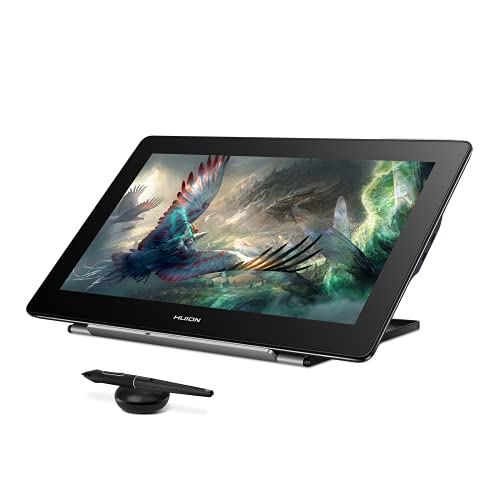
- 15.6-inch 4K UHD full-laminated display
- 145% sRGB Quantum Dot color coverage
- Battery-free pen with 8,192 pressure levels
Best For: Artists and editors who want a compact 4K display with vivid color
Large-Format Pro Pick – HUION Kamvas Pro 27 4K UHD
If you want drawing tablets with 4K display that feel closer to a full studio monitor, the HUION Kamvas Pro 27 is built for large-format work. Its 27-inch 4K screen, wide color coverage, and full lamination make it a strong pick for artists who need room to paint, animate, or retouch without constantly zooming.
Best For: Concept artists, illustrators, and editors who want a huge, color-accurate 4K pen display.
Pros:
- Expansive 27-inch 4K panel gives you lots of room for detailed work.
- 98% Adobe RGB plus support for sRGB and DCI-P3 helps with color-managed workflows.
- PenTech 4.0, tilt alignment, and low activation force support precise strokes.
- Multi-touch gestures and full lamination improve navigation and on-screen feel.
Cons:
- Not a standalone device, so you need a computer or compatible host device.
- Large size may be more display than some desks or portable setups need.
- Professional features may be overkill for casual sketching.
Overall, this is the most spacious option in the group and it leans hard into pro-grade color and control. If your workflow benefits from a big canvas and accurate tones, it deserves a close look.
Premium Touch Performer – Wacom Cintiq Pro 22 4K 120Hz
For buyers comparing drawing tablets with 4K display, the Wacom Cintiq Pro 22 stands out with its 4K panel and 120Hz refresh rate. That combination is aimed at professionals who want near-zero latency, strong pen control, and a screen size that balances workspace and desk footprint.
Best For: Professional illustrators, animators, and designers who want a responsive 4K touchscreen pen display.
Pros:
- Ultra HD 4K display with a 120Hz refresh rate for smooth pen motion.
- Pro Pen 3 offers 8192 levels of pressure and customizable grip/balance options.
- 10-point multi-touch and on-screen menus add flexible control.
- Includes an Easy Stand and accessory kit for setup and customization.
Cons:
- Smaller than the 27-inch class, so you get less screen real estate.
- Highly professional feature set may be more than casual users need.
- Wired setup and accessory management may take extra desk organization.
In practice, this model is about speed, touch responsiveness, and a polished creative workflow. If you want a premium 4K pen display that prioritizes fluid interaction, it is one of the strongest choices here.
Control-Focused Studio Pick – Xencelabs Pen Display 24 4K
The Xencelabs Pen Display 24 is a practical choice if you want drawing tablets with 4K display plus a workflow-focused control setup. Its 23.8-inch 4K screen, strong color coverage, and bundled shortcut hardware make it especially appealing for artists who spend long sessions moving between brushes, zooming, and display control.
Best For: Artists, illustrators, and designers who want a color-accurate 4K display with lots of shortcut control.
Pros:
- 4K UHD IPS screen with 99.43% Adobe RGB and Pantone/SkinTone validation.
- Two battery-free pens included for different grip preferences.
- 40 programmable shortcut functions plus an OLED shortcut remote.
- Anti-glare glass and fan-less design help with comfort during long sessions.
Cons:
- Display is slightly smaller than the 27-inch class option in this group.
- More control accessories may mean a learning curve at first.
- Best suited to a desk setup rather than portable use.
This model is less about flashy size and more about efficient, studio-ready control. If you value accurate color and fast access to commands, it offers a well-rounded pro workflow.
Compact Pro Option – Wacom Cintiq Pro 17 4K 120Hz
If you’re shopping drawing tablets with 4K display and want something more compact than the larger studio models, the Wacom Cintiq Pro 17 is a focused option. It combines a 17-inch 4K panel with 120Hz refresh and touch support, making it a fit for artists who want pro features in a smaller footprint.
Best For: Professionals and advanced hobbyists who want a compact 4K touch pen display for precise creative work.
Pros:
- 4K display with 120Hz refresh helps motion feel smooth and responsive.
- Pro Pen 3 includes 8192 pressure levels and customizable fit.
- 10-point multi-touch and ExpressKeys support efficient navigation.
- Smaller size is easier to place on tighter desks.
Cons:
- 17-inch screen is the smallest option in this set, so canvas space is limited.
- Compact size may feel restrictive for users who prefer large drawing areas.
- Like the other models here, it is not a standalone device.
As a compact pro display, this one makes sense when desk space matters but you still want high-end touch and pen performance. It is a practical balance of portability, responsiveness, and Wacom’s pro-oriented feature set.
Editor’s Choice – Xencelabs Pen Display 24+ 4K Drawing Display
If you want drawing tablets with 4k display features that lean hard into color control and a polished pen feel, the Xencelabs Pen Display 24+ is built for that workflow. Its 23.8-inch 4K UHD screen, optically bonded panel, and etched surface are aimed at artists who want accurate detail, low parallax, and a more natural pen-on-paper feel.
Best For: Professional artists who want a color-managed 4K pen display with extensive shortcut control.
Pros:
- 23.8-inch 4K UHD screen with 1.07 billion colors for detailed artwork.
- Calman Ready integration for one-click hardware calibration with a compatible colorimeter.
- 44 customizable Quick Keys plus two included battery-free pens.
- Etched, anti-reflection screen and fully bonded surface for a clean viewing experience.
Cons:
- Calibration requires Calman software and a compatible colorimeter.
- Calman Ready is currently unavailable for macOS users.
- Not a standalone device; it needs a connected computer.
Overall, the Pen Display 24+ stands out if you care about both display accuracy and workflow efficiency. It is especially appealing for artists who want a calibrated, studio-style setup with strong shortcut support.
Color Accuracy Pick – HUION Kamvas Pro 24 (Gen 3) 4K Pen Display
The HUION Kamvas Pro 24 (Gen 3) is a strong option if you’re comparing drawing tablets with 4k display panels and want a big, workspace-friendly canvas. Its 23.8-inch 4K UHD screen, Quantum Dot color, and factory calibration are designed for artists who need vivid color and dependable detail on a desk setup.
Best For: Creators who want a large 4K pen display with strong color coverage and accurate calibration.
Pros:
- 23.8-inch 4K UHD display with narrow bezels and a large active workspace.
- Quantum Dot panel with 1 billion colors and wide gamut coverage.
- Factory calibration with 3D LUT and claimed ΔE<1 accuracy.
- Includes multi-touch support, dual pens, and a shortcut keyboard.
Cons:
- Not a standalone tablet; it must connect to a computer or compatible device.
- Desk setup may take more space than compact pen displays.
- Advanced color features may be more than casual users need.
For artists who want a spacious 4K display with serious color specs, this Kamvas model is easy to recommend. It balances accuracy, screen size, and productivity tools in a way that suits dedicated creative work.
Premium Large-Screen Pick – XPPen Artist Pro 27 (Gen 2) 4K 120Hz Display
If you want drawing tablets with 4k display performance on a bigger canvas, the XPPen Artist Pro 27 (Gen 2) is the most expansive option here. Its 27-inch 4K screen, 120Hz refresh rate, and Calman-certified color accuracy make it a compelling choice for artists and designers who want both size and precision.
Best For: Professional illustrators, animators, and designers who want a large 4K pen display with high refresh performance.
Pros:
- 27-inch 4K display with 120Hz refresh rate for smoother on-screen motion.
- 99% Adobe RGB coverage and ΔE<1 color accuracy with Calman certification.
- X3 Pro stylus offers 16,384 pressure levels and tilt support.
- Includes multi-touch, a wireless shortcut keyboard, and one-click calibration.
Cons:
- Large footprint may be overkill for smaller desks.
- Not a standalone device; it needs a connected host device.
- Higher-end feature set may be more than entry-level users require.
This is the pick for users who want a premium 4K pen display with room to work and the specs to match. It’s especially attractive for animation, high-resolution editing, and other detail-heavy creative tasks.
Flagship 4K Touch Pen Display – HUION Kamvas Pro 19 18.4" 4K Touch
If you want drawing tablets with 4k display support and a larger canvas, the HUION Kamvas Pro 19 stands out with its 18.4-inch 4K UHD panel, full lamination, and anti-glare etched glass. It is built for artists who want sharp detail, strong color coverage, and a more tactile drawing feel for long sessions.
Best For: Professional artists and designers who want a large 4K pen display with touch controls.
Pros:
- 18.4-inch 4K UHD display with full lamination and anti-glare etched glass for clarity and a paper-like feel
- Multi-touch support on Windows adds zoom, scroll, drag, and gesture convenience
- Wide color coverage includes 99% sRGB, 96% Adobe RGB, and 98% DCI-P3 with 1.07 billion colors
- PenTech 4.0 stylus support includes up to 16,384 pressure levels, tilt, and low initial activation force
Cons:
- MacOS touch is still in beta testing
- Designed as a pen display that must connect to another device
- Large-screen setup may be more than casual users need
This model is a strong choice if your priority is screen quality, color accuracy, and a premium drawing surface. Its mix of 4K detail, touch functionality, and advanced pen features makes it especially appealing for demanding creative work.
Value 4K Drawing Display – GAOMON Pro 19 18.4" 4K UHD
The GAOMON Pro 19 is a practical pick in the drawing tablets with 4k display category, especially if you want a roomy 18.4-inch screen without moving up to a much larger setup. Its fully laminated, anti-glare 4K UHD display is aimed at comfortable long sessions, while the color specs and pen support keep it grounded for serious art and design work.
Best For: Artists, students, and creators who want a balanced 4K pen display with strong value.
Pros:
- 18.4-inch 4K UHD fully laminated display with anti-glare and a paper-feel surface
- Factory-calibrated color with 99% sRGB, 98% DCI-P3, and ΔE<1.5 accuracy
- Battery-free pen offers 16,384 pressure levels, 2g activation force, and ±60° tilt
- Includes an adjustable 20°-80° stand and the main cables needed for setup
Cons:
- Single USB-C to C setup requires a compatible cable sold separately
- Still needs a connected computer or supported device to work
- Screen size is practical, but not as compact as smaller tablets
For buyers who want a dependable 4K drawing display with professional-looking color and a straightforward setup, this GAOMON model offers a solid middle ground. It focuses on the essentials that matter most for illustration, design, and animation workflows.
Compact Color-Rich 4K Pen Display – HUION Kamvas Pro 16 Plus 15.6" 4K
If you prefer a smaller workspace but still want drawing tablets with 4k display quality, the HUION Kamvas Pro 16 Plus is a focused option. Its 15.6-inch 4K UHD panel, full lamination, and anti-glare glass are aimed at detail-heavy work, while the Quantum Dot layer and wide color gamut make it appealing for color-sensitive projects.
Best For: Artists and editors who want a compact 4K pen display with wide color coverage.
Pros:
- 15.6-inch 4K UHD display with full lamination, IPS technology, and anti-glare glass
- Quantum Dot technology delivers 145% sRGB color coverage and strong visual richness
- Battery-free PW517 pen includes 8,192 pressure levels and ±60° tilt recognition
- Flexible connectivity with dual USB-C support or the included 3-in-1 cable setup
Cons:
- Must be connected to a computer, laptop, or supported Android device to work
- Pressure sensitivity is lower than newer 16K pen displays
- Smaller screen than the 18.4-inch models in this roundup
This is a smart fit if your priority is vivid color in a more compact 4K display. It keeps the core pen-display features artists need while staying easier to place on a smaller desk.
How We Picked the Best Drawing Tablets with 4K Display
We prioritized display sharpness, color coverage, pen tracking, pressure response, refresh rate, and practical workflow features such as shortcut buttons, touch support, and stand compatibility. For Drawing Tablets with 4K Display, we also weighed screen size and desk footprint, since a large panel is not always the best fit for every artist.
Quick Comparison
In this roundup, the larger 24- to 27-inch models are best for artists who want an expansive canvas and minimal zooming, while 16- to 19-inch options suit compact desks and portable studio setups. High-refresh models are especially appealing for animation and fast sketching, while color-critical users should look closely at Adobe RGB or factory-calibrated performance.
Key Buying Factors for Drawing Tablets with 4K Display
Screen Size and Working Style
Larger displays give you more room for panels, timelines, and detailed linework, but they also need more desk space. Smaller screens are easier to place and travel with, though you may zoom more often.
Color Accuracy and Calibration
If you work in print, branding, or digital painting, look for strong gamut coverage such as Adobe RGB or sRGB, plus any calibration or verification features. Better color consistency reduces surprises between creation and final output.
Pen Feel and Responsiveness
Pressure sensitivity, tilt support, and low parallax matter more than spec sheets alone. A stable cursor and natural stroke response are essential for clean inking and controlled brush work.
Refresh Rate and Touch Features
High refresh rates can make panning and sketching feel smoother, especially for motion and animation workflows. Touch support can speed navigation, but some artists prefer pen-only control for precision.
Shortcut Controls and Ergonomics
Custom keys, dials, and remote accessories can save time during repetitive tasks. Also consider stand adjustability, cable routing, and heat levels for long sessions.
Who Should Buy Which Drawing Tablets with 4K Display?
Choose a large 4K pen display if you want a desktop-grade main canvas for professional illustration or design. Pick a mid-sized model if you need a balance of detail and space efficiency. Go for a feature-rich option with high refresh, touch, or calibration if your work depends on speed, accuracy, or shared studio workflows. If you are upgrading from a smaller tablet, the best Drawing Tablets with 4K Display are the ones that match your desk, your software, and the way you actually create.