Adding eight drives to a workstation, media server, or backup system requires more than a basic USB enclosure. The right model should balance connectivity, cooling, drive compatibility, installation convenience, and reliable long-term operation.
These 10 options include traditional multi-bay SATA enclosures, RAID-capable designs, high-speed USB 4 models, and hybrid units that combine hard drives with NVMe SSDs.
Best 10 Hard Drive Enclosure for Eight Drives Picks for 2026
Best Value 8-Bay DAS
CENMATE 8-Bay USB 3.0 Enclosure

- Eight bays for 2.5- and 3.5-inch SATA drives
- USB-A/C 3.0 with up to 5Gbps
- Cooling fans and daisy-chain expansion
Best For: High-capacity personal or small-business DAS storage
Best Hybrid Storage
TERRAMASTER D8 Hybrid 4+4 Enclosure

- Four SATA bays plus four NVMe slots
- USB 3.2 Gen 2 up to 10Gbps
- Temperature-controlled cooling fan
Best For: Mixed hot-data and high-capacity storage setups
Best Drive-by-Drive Control
IO CREST 8-Bay USB 3.0 Enclosure

- Eight SATA bays up to 24TB per drive
- Independent power switches for each disk
- Thermal-sensor fan with three speed levels
Best For: Desktop users managing independent SATA drives
Best Single-Drive Option
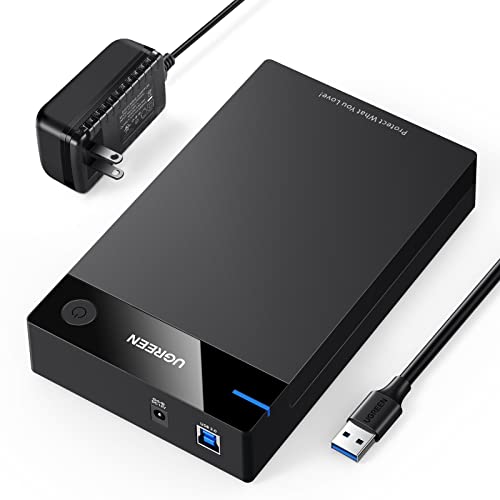
- Holds one 2.5- or 3.5-inch SATA drive
- USB 3.0 with UASP up to 5Gbps
- Tool-free plug-and-play setup
Best For: Simple single-drive backups and media storage
Best High-Speed 8-Bay Pick

- Holds eight SATA drives up to 24TB each
- Up to 40Gbps USB 4.0 connectivity
- Smart three-level fan control
Best For: High-capacity direct-attached storage without RAID or NAS
Best Single-Drive Utility Pick
Vantec NexStar JX SATA Enclosure

- Supports one 2.5-inch or 3.5-inch SATA drive
- USB 3.2 Gen 1x1 and eSATA connections
- Includes cables, adapter, and stand
Best For: Compact single-drive SATA access and expansion
Best RAID Expansion Pick

- Offers eight RAID and storage modes
- Supports up to 88TB across four drives
- Includes 150W power supply and cooling fan
Best For: Flexible four-drive RAID and backup configurations
Best with Extra Features
SABRENT Tool-Free SATA Enclosure
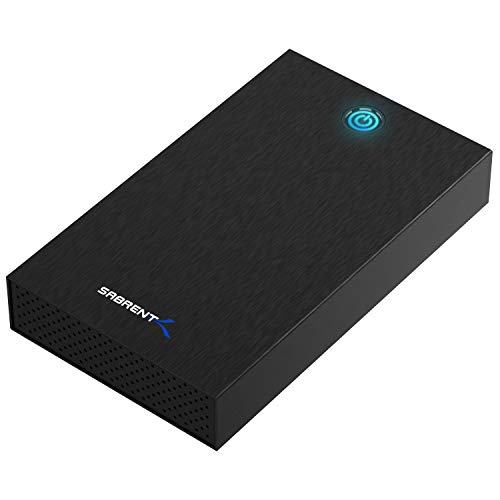
- Supports one 2.5-inch or 3.5-inch SATA drive
- Tool-free installation with USB 3.0 and UASP
- Requires external power; not compatible with SAS or NVMe
Best For: Individual SATA drive access and quick drive swapping
Best High-Speed Eight-Bay DAS
CENMATE 10Gbps 8-Bay Enclosure
- Eight SATA bays with up to 160TB stated capacity
- USB 3.2 Gen 2 supports up to 10Gbps
- Hot-swappable DAS with cooling fans and daisy chaining
Best For: High-capacity direct-attached storage without RAID
Best RAID Flexibility
- Eight bays with eight selectable RAID and storage modes
- Supports 2.5-inch and 3.5-inch SATA drives
- USB 3.0, eSATA, dual fans, and 160TB stated capacity
Best For: Experienced users building configurable RAID storage
Best Value 8-Bay DAS – CENMATE 8-Bay USB 3.0 Enclosure
For shoppers seeking a hard drive enclosure for eight drives, the CENMATE offers eight bays for 2.5-inch and 3.5-inch SATA HDDs or SSDs in a tool-free, USB-connected DAS design. It supports up to 160TB total based on eight 20TB drives, though it does not provide RAID or NAS functionality.
Best For: Individuals or small setups needing high-capacity, plug-and-play external storage across Windows, Mac, or Linux.
Pros:
- Eight bays support both 2.5-inch and 3.5-inch SATA drives.
- USB 3.0 with UASP provides up to 5Gbps transfer rates, with USB-A and USB-C connectivity.
- Aluminum construction, two fans, and a 12V/20A power adapter support cooling and stable operation.
- Daisy chaining can expand storage with up to three devices.
Cons:
- It does not support RAID or NAS features.
- Fan noise is rated around 40–50 decibels.
- The manufacturer recommends testing and adding drives one at a time to identify faulty disks.
The CENMATE is a practical high-capacity enclosure when independent drive access matters more than pooling or redundancy. Its cooling and expansion features are useful, but buyers should be comfortable with USB DAS operation and moderate fan noise.
Best Hybrid Storage – TERRAMASTER D8 Hybrid 4+4 Enclosure
The TERRAMASTER D8 Hybrid is a hard drive enclosure for eight drives with a distinctive split layout: four bays accept SATA HDDs or SSDs, while four slots accept M.2 2280 NVMe SSDs. Its USB 3.2 Gen 2 connection is designed for faster transfers and separates high-speed active data from larger-capacity storage.
Best For: Users who want fast NVMe storage alongside higher-capacity SATA drives in one diskless enclosure.
Pros:
- Combines four SATA bays with four M.2 2280 NVMe slots.
- USB 3.2 Gen 2 supports up to 10Gbps bandwidth, with stated speeds up to 980MB/s using NVMe SSDs.
- Tool-free trays and TERRAMASTER’s push-lock design simplify drive installation and retention.
- Temperature-controlled fan and power-on recovery support unattended operation.
Cons:
- It is diskless, so all eight storage devices must be purchased separately.
- The SATA portion supports four drives rather than eight traditional HDD bays.
- Capacity limits differ by drive type: up to 30TB per SATA drive and 8TB per M.2 SSD according to the supplied specifications.
The D8 Hybrid stands out for mixed workloads: NVMe SSDs can handle frequently accessed data while SATA drives provide economical capacity. It is a stronger fit than a conventional eight-bay HDD enclosure for buyers who specifically need both interfaces and higher USB bandwidth.
Best Drive-by-Drive Control – IO CREST 8-Bay USB 3.0 Enclosure
IO CREST Hard Drive Enclosure Supports Multi Bay via USB Interface, Black, 8-Bay
Check Price On AmazonThe IO CREST is a hard drive enclosure for eight drives built around independent drive control. It accepts 2.5-inch and 3.5-inch SATA disks, connects over USB 3.0 at up to 5Gbps, and lets you power each drive off individually when it is not needed.
Best For: Desktop users who want eight SATA bays and separate power switches for managing individual drives.
Pros:
- Supports eight 2.5-inch or 3.5-inch SATA drives, with capacities up to 24TB per drive.
- Individual switches allow each drive to be powered down independently.
- Smart fan includes a thermal sensor, automatic or manual operation, and three fan-speed levels.
- Steel housing and a quiet fan are designed to help dissipate heat.
Cons:
- It does not support RAID or NAS functionality.
- USB 3.0 limits the connection to up to 5Gbps.
- At about 10 pounds and 12.5 by 10.5 by 6 inches, it requires substantial desk space.
The IO CREST is a sensible choice when separate drive switching and thermal control are more important than compact dimensions or RAID. Its steel chassis suits a permanent desktop installation, while the USB interface keeps setup straightforward.
Best Single-Drive Option – UGREEN SATA USB 3.0 Enclosure
Although it is not a hard drive enclosure for eight drives, the UGREEN enclosure is a useful single-drive alternative for buyers who only need to connect one 2.5-inch or 3.5-inch SATA HDD or SSD. It offers USB 3.0 connectivity, a 12V power adapter, and compatibility with computers, consoles, routers, and TVs.
Best For: Users who need a simple, lower-capacity enclosure for one SATA drive or occasional drive access.
Pros:
- Supports one 2.5-inch or 3.5-inch SATA HDD or SSD up to 20TB.
- USB 3.0 with UASP provides up to 5Gbps transfer performance.
- Tool-free plug-and-play setup works with Windows, Linux, and macOS.
- ABS housing, rubber strips, and ventilation openings provide basic protection and heat dissipation.
Cons:
- It holds only one drive, so it cannot replace an eight-bay enclosure.
- It uses a USB-A-to-B cable rather than a USB-C connection.
- Users should safely eject the drive before unplugging to help avoid data loss.
UGREEN is best viewed as a compact companion or budget alternative, not a multi-drive storage system. Choose it when one-disk access is enough; shoppers needing simultaneous access to several drives should consider one of the dedicated eight-bay models above.
Best High-Speed 8-Bay Pick – USB 4.0 8-Bay SATA Enclosure
If you need a hard drive enclosure for eight drives, the IO CREST SY-ENC50129 is built for maximum simultaneous capacity. It accommodates eight 2.5-inch or 3.5-inch SATA drives, up to 24TB each, and uses USB 4.0 for transfer speeds of up to 40Gbps. Independent power buttons and removable trays also make drive organization more convenient.
Best For: Home offices, workstations, and users needing high-capacity direct-attached storage without RAID or NAS functionality.
Pros:
- Supports eight SATA drives up to 24TB per drive
- USB 4.0 provides up to 40Gbps connectivity and supports Thunderbolt 3, 4, and 5
- Smart fan offers automatic or manual three-level cooling control
- Removable trays and independent drive power buttons simplify management
Cons:
- Does not support RAID or NAS functions
- Its seven-pound aluminum enclosure is relatively large and heavy
This is the strongest match for buyers specifically seeking an eight-drive enclosure with very fast USB-C connectivity. It is especially practical when individual drive access matters more than pooled or redundant storage.
Best Single-Drive Utility Pick – Vantec NexStar JX SATA Enclosure
Although it is not a hard drive enclosure for eight drives, the Vantec NexStar JX is a useful complement to a larger storage setup when you need a simple enclosure for one 2.5-inch or 3.5-inch SATA drive. It supports USB 3.2 Gen 1×1 and eSATA, includes UASP, and uses an aluminum casing with ventilation to help manage heat.
Best For: Users who need a compact single-drive enclosure for adding, moving, or accessing SATA storage through USB or eSATA.
Pros:
- Supports both 2.5-inch and 3.5-inch SATA III HDDs and SSDs
- Offers USB transfer rates up to 5Gbps and eSATA rates up to 6Gbps
- Includes both USB and eSATA cables, an AC adapter, and a stand
- Plug-and-play operation is supported on Windows and macOS without drivers
Cons:
- Holds only one drive
- It is not suitable for an eight-drive enclosure requirement
The NexStar JX makes sense as a lightweight, flexible option for a single disk, but it should not be confused with a multi-bay storage enclosure. Its eSATA connection may also be useful for systems equipped with that port.
Best RAID Expansion Pick – ORICO 4-Bay RAID Enclosure
For shoppers comparing a hard drive enclosure for eight drives with smaller RAID-capable alternatives, the ORICO 9848RU3 offers four 3.5-inch SATA bays and eight configuration modes. It supports up to 88TB total, provides USB 3.0 connectivity, and includes a 150W power supply for multi-disk operation.
Best For: Desktop users who want RAID, cloning, JBOD, or other flexible storage configurations in a four-drive enclosure.
Pros:
- Supports RAID 0, 1, 3, 5, 10, JBOD, CLONE, and CLEAR modes
- Accommodates four 3.5-inch drives up to 22TB each
- Built-in 150W power supply supports multi-disk use
- 80mm fan, front and rear vents, and aluminum construction aid cooling
Cons:
- Provides four bays rather than eight
- USB 3.0 limits stated transfer performance to up to 5Gbps, with up to 235MB/s noted
- Supports 3.5-inch disks only according to the supplied specifications
This enclosure is a better choice than an eight-bay non-RAID unit when data redundancy or drive pooling is the priority. Its four-bay design offers useful flexibility, but buyers needing eight simultaneous drives will need a larger enclosure.
Best with Extra Features – SABRENT Tool-Free SATA Enclosure
If you need a hard drive enclosure for eight drives but only plan to access one disk at a time, this compact SABRENT model is a straightforward option. It supports one 2.5-inch or 3.5-inch SATA HDD or SSD, uses a tool-free design, and connects over USB 3.0 with UASP.
Best For: Users who need a simple enclosure for swapping and accessing individual SATA drives.
Pros:
- Fits both 2.5-inch and 3.5-inch SATA HDDs and SSDs.
- Tool-free slide-in design makes drive changes quick.
- Aluminum shell, shock-absorbing tray, UASP, and plug-and-play support for Windows, macOS, and Linux.
Cons:
- Holds only one drive, so it is not a true eight-drive enclosure.
- Requires a wall outlet through the included 12V/2A adapter.
- Not compatible with SAS, M.2, NVMe, or IDE/PATA drives.
This is best viewed as a compact single-drive companion rather than a high-capacity multi-bay system. Check your drive dimensions and interface carefully before buying, especially for some larger 3.5-inch models.
Best High-Speed Eight-Bay DAS – CENMATE 10Gbps 8-Bay Enclosure
For shoppers specifically seeking a hard drive enclosure for eight drives, this CENMATE model provides eight tool-free bays for 2.5-inch and 3.5-inch SATA HDDs or SSDs. Its USB 3.2 Gen 2 connection supports up to 10Gbps, while dual fans help manage heat during extended use.
Best For: Users who want large, directly attached storage without built-in RAID or NAS features.
Pros:
- Eight bays support up to 160TB total, based on the stated 20TB-per-drive limit.
- USB-A and USB-C connectivity with hot-swapping and included 12V/20A power supply.
- Aluminum construction, dual cooling fans, and daisy-chain expansion for up to three devices.
Cons:
- This is a DAS enclosure with no RAID or NAS functionality.
- Fans produce approximately 40–50 decibels of noise.
- Drive installation should be performed one at a time to identify faulty disks.
The 10Gbps interface and eight-bay capacity make this the more suitable choice for a large direct-attached storage setup. Keep the fan noise and the required step-by-step drive testing in mind before filling all bays.
Best RAID Flexibility – CENMATE 8-Bay RAID Enclosure
This CENMATE enclosure is designed for users comparing a hard drive enclosure for eight drives with more advanced storage options. It supports eight 2.5-inch or 3.5-inch SATA drives and offers eight selectable modes, including RAID 0, RAID 5, RAID 50, RAID 00, Clone, Large, and Normal.
Best For: Experienced users who need configurable RAID or disk-cloning modes in an eight-bay enclosure.
Pros:
- Offers eight storage modes for different capacity, redundancy, and cloning needs.
- Supports up to 160TB based on the stated 20TB-per-drive capacity.
- Aluminum construction, dual fans, USB 3.0, eSATA, and a 12V/20A power supply.
Cons:
- Changing RAID modes requires powering down, adjusting the selector, and holding the reset button.
- RAID setup may format drives and cause data loss, so backups are essential.
- Requires at least two drives, with placement requirements across the HDD1–HDD4 and HDD5–HDD8 groups.
This model offers substantially more configuration than a basic multi-bay DAS, but its setup process demands care. It is a better fit for technically comfortable users who understand RAID initialization, backups, and the possibility of data loss.
How We Picked the Best Hard Drive Enclosure for Eight Drives
We focused on the features that matter most in a Hard Drive Enclosure for Eight Drives: actual bay capacity, supported drive sizes, interface speed, cooling, tool-free installation, hot-swapping, RAID functionality, and compatibility with modern operating systems. We also included alternatives for different setups, since an enclosure for a desktop backup array has different priorities than one for fast video editing or mixed HDD and NVMe storage.
Before buying, verify the exact model specifications. Some listings use similar names for products with different USB generations, bay counts, RAID features, or included cables.
Quick Comparison
| Best For | Look For | Notable Options |
|---|---|---|
| Maximum bay capacity | Eight SATA bays, active cooling, hot-swap support | CENMATE 8-Bay models, IO CREST |
| Mixed drive types | Separate HDD and NVMe support | TERRAMASTER D8 Hybrid |
| High-speed transfers | USB 3.2 Gen 2 or USB 4 | CENMATE 10Gbps, SY-ENC50129 |
| RAID storage | Hardware or enclosure-managed RAID modes | ORICO 4-Bay RAID, CENMATE RAID |
| Single-drive expansion | Simple SATA compatibility and compact installation | Vantec, SABRENT, UGREEN |
Key Buying Factors for a Hard Drive Enclosure for Eight Drives
Bay and Drive Compatibility
Confirm whether all bays accept both 2.5-inch and 3.5-inch SATA drives. Some enclosures advertised alongside eight-drive searches have fewer physical bays or are intended for one drive at a time. Check maximum capacity, SATA generation support, and whether drive trays or mounting hardware are included.
Connection Speed and Host Compatibility
USB 3.0 is adequate for many hard drives, but a multi-drive array can benefit from USB 3.2 Gen 2 or USB 4. Your computer must also support the relevant port standard to achieve its rated speed. USB-C describes the connector, not necessarily the bandwidth.
Cooling and Noise
Eight drives generate substantial heat, especially during parity calculations or simultaneous transfers. Prefer an enclosure with a dedicated fan, clear airflow, and accessible filters or vents. Check fan-control options if the enclosure will sit near a desk or workstation.
RAID, Hot-Swap, and Data Protection
RAID can improve redundancy or performance, but it is not a backup. Confirm which RAID levels are supported and whether configuration is handled in hardware, software, or through a host operating system. Hot-swapping is useful for maintenance, provided the enclosure and operating system support safe drive removal.
Who Should Buy Which Hard Drive Enclosure for Eight Drives?
Choose an eight-bay CENMATE or IO CREST model when maximum SATA capacity, tool-free access, and straightforward expansion are the priority. The TERRAMASTER D8 Hybrid is the more flexible choice for users who want both HDD capacity and NVMe performance. Select the SY-ENC50129 or a 10Gbps CENMATE when fast transfers are important and the host computer supports the necessary interface.
For redundancy-focused storage, consider a RAID-capable ORICO or CENMATE enclosure, but maintain a separate backup of important data. Vantec, SABRENT, and UGREEN are better suited to simpler SATA expansion or users who do not need a full eight-drive array. Finally, match the enclosure’s power supply, cooling, operating-system support, and physical footprint to your workspace before ordering.