An indoor camera for home office use should do more than record video. It should help you check in quickly, protect privacy, and fit into a busy workday without constant alerts.
Below, we’ve narrowed down 10 strong options for different needs, from simple plug-in cameras to advanced pan-and-tilt models with AI detection and higher-resolution video.
Best 10 Indoor Camera for Home Office Picks for 2026
Best for Basic Monitoring
TP-Link Tapo 1080P Indoor Camera

- 1080p video with night vision
- Motion, person, and crying alerts
- Two-way audio plus built-in siren
Best For: Home office users who want a simple, budget-friendly monitoring camera.
Best for Crisp Home Office Monitoring
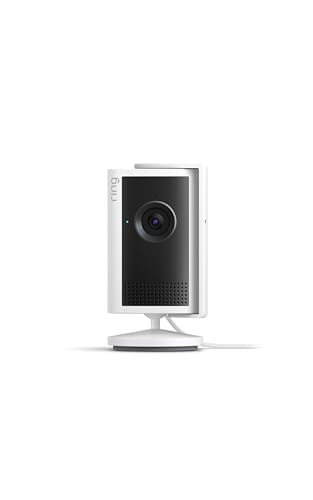
- Retinal 2K video with 4x Enhanced Zoom
- Low-Light Sight for better color in dim rooms
- Two-way talk and motion alerts for quick check-ins
Best For: Home office users who want sharp indoor monitoring with strong low-light detail.
Best for Detailed Monitoring
eufy Security 4K Indoor Camera E30
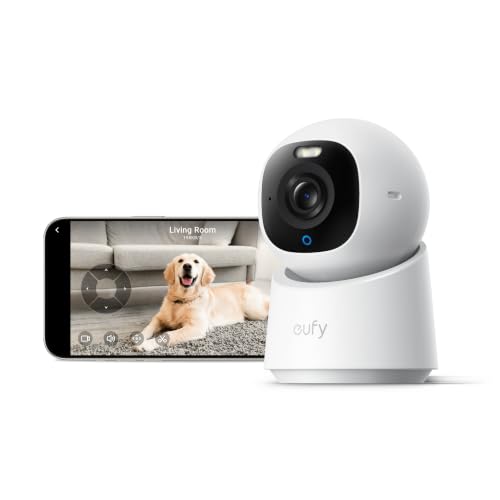
- 4K video with 24/7 recording support
- 360° pan/tilt and AI auto-tracking
- No subscription with local storage option
Best For: Home office users who want high-resolution monitoring with smart tracking and no monthly fee.
Best for Privacy Controls

- Manual Privacy Cover for quick lens and mic shutoff
- 1080p HD video with color night vision
- Plug-in design with flexible mounting options
Best For: Home office users who want simple monitoring with fast privacy control.
Best for Crisp 4K Monitoring
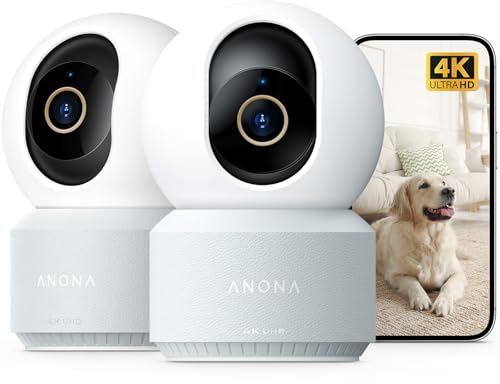
- 4K UHD video with 8x zoom
- 360° pan / 110° tilt with auto-tracking
- AI alerts for person, pet, and crying detection
Best For: Home offices and multi-use rooms needing sharp video and automatic tracking.
Best for Pan-Tilt Coverage
REOLINK 4MP Indoor WiFi 6 Camera

- 355° pan and motion tracking expand room coverage.
- 4MP video with night vision improves detail in low light.
- Local storage options avoid mandatory cloud fees.
Best For: Home offices that need wide indoor coverage with flexible, subscription-free recording.
Best for Motion Tracking
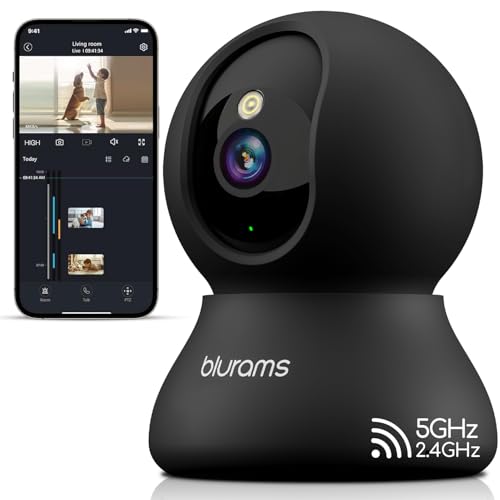
- 360° pan-and-tilt with auto motion tracking
- 2K video with IR night vision and privacy mode
- AI alerts plus 2-way audio and smart home support
Best For: Home offices that need flexible room coverage, motion alerts, and voice assistant compatibility.
Best for Dual-Band Coverage
2K Dual-Band Indoor Camera 2-Pack
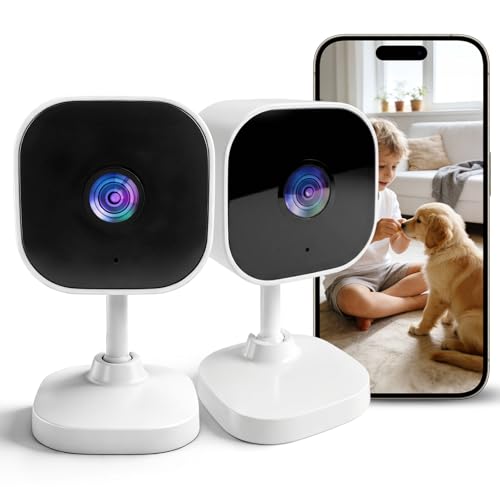
- 2K/3MP video for clearer room detail
- Dual-band 2.4GHz/5GHz WiFi for steadier streaming
- Two-way audio, motion alerts, and local/cloud storage
Best For: Home office users who want a versatile two-camera indoor setup with strong connectivity.
Best Multi-Camera Coverage
LaView 4-Piece 1080P Indoor Cameras
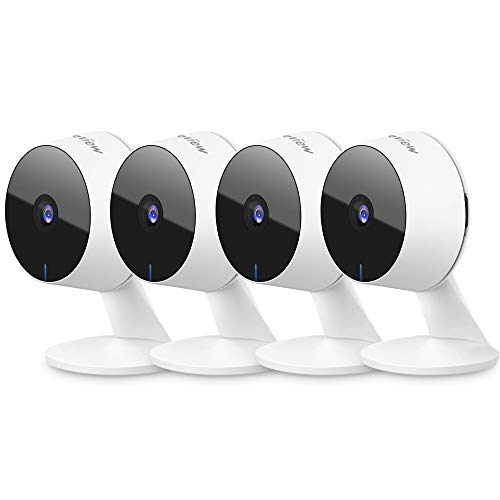
- 4-camera bundle for monitoring several rooms or angles
- 1080P video with night vision and motion alerts
- Two-way audio plus app/web access for easy check-ins
Best For: Home offices and small homes that need affordable multi-room monitoring.
Best for 360° Coverage

- 2K video with pan/tilt control for full-room coverage
- Motion alerts, siren, and 10-second auto recordings
- Two-way audio plus Alexa and Google Home support
Best For: Home office buyers who want wide room coverage and app-controlled monitoring.
Best for Basic Monitoring – TP-Link Tapo 1080P Indoor Camera
If you want a straightforward indoor camera for home office use, the TP-Link Tapo C100 covers the essentials without a steep learning curve. It offers 1080p video, motion alerts, two-way audio, and night vision, so you can keep an eye on your workspace, entryway, or pets while you’re away.
Best For: Home office users who want an affordable, easy-to-use camera for simple day-and-night monitoring.
Pros:
- 1080p video provides clear live viewing and recorded clips
- Motion, person, and crying detection with instant notifications
- Two-way audio and built-in siren add helpful remote interaction
- Works with Alexa and Google Home for easy smart home viewing
Cons:
- Only supports 2.4GHz Wi-Fi, not 5GHz
- Some advanced features may require cloud or SD card setup
Overall, this is a practical indoor camera for home office setups that need dependable basics rather than premium features. It’s a solid fit if you want clear video, simple alerts, and voice-assistant compatibility in a compact budget-friendly camera.
Best for Crisp Home Office Monitoring – Ring Indoor Cam Plus
If you want an indoor camera for home office use that makes it easy to see faces, packages, and desk activity clearly, the Ring Indoor Cam Plus is a strong pick. Its Retinal 2K video, 4x zoom, and low-light color performance give you more detail than basic 1080p models, while the compact design fits neatly on a desk, shelf, or wall mount.
Best For: Home office buyers who want sharp video detail, quick motion alerts, and easy two-way communication in a compact indoor camera.
Pros:
- Retinal 2K video captures more detail for faces, screens, and room activity
- 4x Enhanced Zoom helps you inspect motion without losing clarity
- Low-Light Sight keeps color video usable in dim home office lighting
- Two-way talk and real-time alerts make it practical for everyday monitoring
Cons:
- Requires a Ring subscription for several cloud and smart features
- Single-band 2.4GHz Wi-Fi only, so placement may matter in crowded networks
- Best performance depends on solid upload speed and indoor lighting conditions
For a compact indoor camera for home office setups, the Ring Indoor Cam Plus stands out for detail, zoom, and low-light clarity rather than just basic surveillance. It is a sensible choice if you want sharper everyday monitoring and fast alerts in a small workspace.
Best for Detailed Monitoring – eufy Security 4K Indoor Camera E30
If you want an indoor camera for home office use that can cover a room from corner to corner, the eufy Security E30 stands out with 4K video, 360° pan-and-tilt control, and AI tracking. It is a strong fit when you need clear daytime detail, reliable night viewing, and flexible alerts without committing to a monthly plan.
Best For: Home office users who want high-resolution room coverage, local storage, and smart tracking for people or pets.
Pros:
- Sharp 4K recording with 24/7 capture support
- 360° pan/tilt plus AI auto-tracking for moving subjects
- Color night vision and two-way audio for day-or-night monitoring
- No subscription required, with local storage support
Cons:
- HomeKit tops out at 1080p, not full 4K
- microSD card is sold separately for local recording
For buyers comparing an indoor camera for home office setups, this model makes sense if coverage and detail matter more than a minimal, basic camera. It is especially appealing for people who want smart tracking and strong video quality without adding another recurring fee.
Best for Privacy Controls – Ring Indoor Cam
If you want an indoor camera for home office use that’s easy to place, easy to monitor, and easy to mute, the Ring Indoor Cam is a practical pick. It delivers 1080p HD video, color night vision, and motion alerts in a compact plug-in design that works well on a desk, shelf, or wall mount.
Best For: Home offices, desks, and shared spaces where quick privacy control matters.
Pros:
- Manual Privacy Cover lets you turn off the camera and mic instantly
- 1080p HD video with Live View and Color Night Vision
- Flexible swivel mount and plug-in power make placement simple
- Works with Alexa for alerts, streaming, and hands-free control
Cons:
- Advanced features require a Ring Protect subscription
- Designed for indoor use only
For buyers comparing an indoor camera for home office setups, this Ring model stands out most for privacy and convenience rather than advanced smart-home complexity. It’s a straightforward option if you want dependable monitoring during work hours and a simple way to cover the lens when you’re done.
Best for Crisp 4K Monitoring – Anona 4K Indoor Camera
If you want an indoor camera for home office use that can see fine detail, track movement, and send fast alerts, the Anona 4K indoor camera is built for that job. Its 4K resolution, pan-tilt coverage, and AI detection make it a strong pick for watching a workspace, entryway, or shared room without constant manual checking.
Best For: Home offices and multi-use rooms where clear video, automatic tracking, and app alerts matter more than basic monitoring.
Pros:
- 4K UHD video with 8x zoom for sharper detail than typical 1080p/2K cameras
- 360° pan and 110° tilt with auto-tracking to follow movement around the room
- AI alerts for person, pet, and baby crying detection via phone app
- Dual-band Wi-Fi 6 plus local or cloud storage for flexible setup
Cons:
- 2-pack is useful for coverage, but may be more camera than some buyers need
- MicroSD card is not included for local recording
As an indoor camera for home office setups, this model stands out when you want broad coverage and clearer evidence of what happened in the room. It is especially useful if your workspace doubles as a nursery, pet area, or general living space and you want one camera that can handle all three.
Best for Pan-Tilt Coverage – REOLINK 4MP Indoor WiFi 6 Camera
If you want an indoor camera for home office use that can also cover a nursery or pet area, this Reolink 2-pack is built for flexible monitoring. The 4MP resolution, 355° pan, motion tracking, and local storage make it a practical choice when you want broad coverage without paying for a cloud subscription.
Best For: Home offices that need wide-area indoor monitoring, especially for keeping an eye on pets, children, or shared workspaces.
Pros:
- 4MP video and enhanced night vision deliver sharper day-and-night detail.
- 355° pan and auto tracking help cover more of a room with fewer blind spots.
- Two-way talk and cry alerts add useful communication for family spaces.
- Local microSD, NVR, and Home Hub support reduce reliance on subscriptions.
Cons:
- Does not support RTSP/ONVIF, which may limit advanced integrations.
- Designed for indoor use only.
For shoppers comparing an indoor camera for home office setups, this model stands out for its pan-tilt flexibility and local recording options. It is especially compelling if you want one camera that can monitor both work and family spaces with minimal ongoing cost.
Best for Motion Tracking – blurams 2K Indoor Camera
If you want an indoor camera for home office use that can follow movement around the room, the blurams 2K model is a practical pick. Its 360° coverage, motion tracking, and instant phone alerts make it easy to monitor a workspace, pets, or entry points without constantly checking the feed.
Best For: Home offices that need flexible room coverage, motion alerts, and two-way communication in a compact indoor camera.
Pros:
- 360° pan-and-tilt coverage with automatic motion tracking
- 2K video, IR night vision, and privacy mode for better everyday monitoring
- AI alerts for people, motion, and abnormal sound plus 2-way audio
- Works with Alexa, Google Assistant, and the blurams app
Cons:
- Cloud recording features may be more than some buyers need
- Local storage requires a separate microSD card
For shoppers prioritizing coverage and responsive alerts over a basic fixed-view camera, this blurams model is a strong indoor camera for home office setups. It gives you useful visibility during meetings, work hours, and after dark, while staying simple to manage from your phone.
Best for Dual-Band Coverage – 2K Dual-Band Indoor Camera 2-Pack
If you want an indoor camera for home office use that also doubles as a baby, pet, or general home monitor, this 2-pack stands out for its 2K video and dual-band WiFi. It’s a practical pick when you want clearer detail, steadier streaming, and the flexibility to watch multiple rooms from the Yoosee app.
Best For: Buyers who want a simple, dual-band indoor camera setup for an office, nursery, or pet-friendly home.
Pros:
- 2K/3MP video gives sharper detail than basic 1080p indoor cameras.
- 2.4GHz and 5GHz WiFi support helps reduce lag and buffering.
- Motion alerts, custom zones, and two-way audio add useful everyday monitoring.
- SD card or cloud storage supports both continuous and event-based recording.
Cons:
- Requires setup through the Yoosee app, which may not suit everyone.
- SD card is not included for local 24/7 recording.
For an indoor camera for home office spaces, this model makes sense if you want flexible coverage rather than a single-purpose device. The 2-pack is especially useful for monitoring a desk area and another room without having to buy a second system later.
Best Multi-Camera Coverage – LaView 4-Piece 1080P Indoor Cameras
If you want an indoor camera for home office monitoring that can cover more than one room, this 4-pack from LaView is a practical pick. It combines 1080P live video, motion alerts, two-way audio, and app/web access, so you can check in on your workspace, entryway, or common areas without much setup.
Best For: Home offices and small homes that need affordable multi-room monitoring with remote viewing.
Pros:
- Four cameras make it easy to cover multiple rooms or angles
- 1080P video, night vision, and motion detection help with day-to-night monitoring
- Two-way audio and Alexa support add convenience for daily use
- App, browser, and shared access support make remote viewing flexible
Cons:
- Wired power means each camera needs a nearby outlet
- Only supports 2.4GHz Wi-Fi, not 5GHz
- Cloud storage trial is limited unless you add local microSD recording
Overall, this LaView bundle is a strong value if your indoor camera for home office needs lean more toward coverage and sharing than premium smart features. The four-camera pack is especially useful when you want a simple system for monitoring workspaces, pets, or shared household areas from one account.
Best for 360° Coverage – Cinnado 2K 360° Indoor Camera
If you want an indoor camera for home office monitoring that can cover a whole room without constant repositioning, the Cinnado 2K indoor camera is a practical pick. Its pan-and-tilt control, clear live view, and motion alerts make it easy to keep an eye on your workspace, entryway, pets, or kids while you work.
Best For: Buyers who want wide-angle room coverage, app-based control, and basic smart home compatibility in a wired indoor camera.
Pros:
- 2K resolution with 360° pan/tilt coverage for broad room monitoring
- Motion detection with instant phone alerts and short auto-recorded clips
- Two-way audio plus Alexa and Google Home support
- Supports continuous recording with microSD card storage up to 128GB
Cons:
- Requires 2.4GHz WiFi only, so it won’t work on 5GHz networks
- Wired design limits placement compared with battery-powered cameras
- SD card is not included for local 24/7 recording
Overall, this is a solid indoor camera for home office users who want broad visibility, simple app access, and dependable everyday monitoring without paying for advanced pro features.
How We Picked the Best Indoor Camera for Home Office
We focused on the features that matter most for a home office: reliable motion alerts, clear video, two-way audio, night vision, and practical storage options. We also looked for models that are easy to place on a desk, shelf, or wall without turning your workspace into a tangle of cables and notifications.
Quick Comparison
If you want the simplest setup, choose a basic 1080p indoor camera. If you need broader coverage, a pan-and-tilt model with auto-tracking is usually the better fit. For sharper detail, 2K or 4K cameras can make faces, screens, and room activity easier to identify. If you prefer fewer ongoing costs, look closely at local storage and no-subscription options.
Key Buying Factors for an Indoor Camera for Home Office
Video Quality and Zoom
For a home office, 1080p is enough for general monitoring, but 2K and 4K provide better detail when you need to review who entered the room or what happened near your desk. Optical-style zoom and enhanced digital zoom can also help, but they work best when paired with a higher-resolution sensor.
Field of View and Motion Tracking
A fixed lens works well for a small office, but a pan-and-tilt camera gives you more coverage if your desk area, doorway, and storage shelves are spread out. Auto-tracking is useful in larger rooms, though it may be unnecessary in a compact setup.
Audio, Alerts, and Privacy
Two-way audio can be handy for talking to family members, checking on pets, or deterring unexpected visitors. Smart motion detection and customizable zones help reduce false alerts during work calls. For privacy, look for scheduling, app controls, and ways to disable recording when you are in the room.
Storage and Connectivity
Some indoor cameras for home office monitoring rely on cloud services, while others support microSD cards or local recording. Dual-band Wi-Fi can improve stability, especially in offices far from the router. If you want fewer recurring fees, prioritize models with local storage and clear app access.
Who Should Buy Which Indoor Camera for Home Office?
Choose a basic 1080p camera if you want affordable, low-fuss monitoring. Pick a 2K or 4K pan-and-tilt model if you need wider coverage and more detail. If you are watching pets, kids, or an active workspace, auto-tracking and two-way audio are especially useful. For buyers who dislike subscriptions, a local-storage or no-subscription option is often the smartest long-term choice.
In short, the best Indoor Camera for Home Office use is the one that matches your room size, alert tolerance, and privacy preferences—not just the one with the longest feature list.