Smart glasses can make a conversation abroad feel less like a scramble for your phone. But “real-time translation” means different things across products: some may show text in your view, while others play translated audio through open-ear speakers or rely heavily on a companion app.
These 10 picks span display-equipped AR glasses, camera-equipped models, and simpler audio frames. The right choice depends less on the longest feature list than on how you want to hear or read a translation—and where you’ll use the glasses.
Best 10 Smart Glasses for Translation Picks for 2026
Best In-Lens Display

- In-lens, two-way translation
- 98 supported languages
- 8MP camera and swappable batteries
Best For: Travelers and presenters who want translation text in view
Best for POV Recording
- 8MP camera and advertised 4K video
- Translation and transcription tools
- About one hour of video recording
Best For: Travelers who want camera features alongside translation
Best for Prescription Lens Options

- Replaceable prescription lenses
- 8MP camera with EIS
- No in-lens display
Best For: Prescription-lens wearers who prefer audio-based features
Best App-Based Language Coverage

- 164 advertised languages
- No subscription required for translation
- Mobile app required; no offline mode
Best For: Buyers comfortable using a phone app for translation
Best for Everyday Versatility
- Real-time translation and voice assistant
- 4K camera and open-ear audio
- Conflicting water-resistance details
Best For: Travelers wanting translation, video, and calls in one pair
Best for Language Coverage
GenXenon GS06 Translator Glasses

- Advertised support for 160+ languages
- Photochromic, blue-light-filtering lenses
- Approximately 4–6 hours of battery life
Best For: Travelers seeking broad language coverage and adaptable lenses
Best for Active Video
- Advertised translation in 139+ languages
- 4K camera with EIS stabilization
- 35 g frame and IP66 rating
Best For: Active travelers who want translation and wearable video
Best for Active Commutes
OhO AI Photochromic Smart Glasses

- 165-language translation through the OhO app
- Open-ear calls and audio
- Z87.1-rated photochromic lenses
Best For: Commuters who want translation and open-ear audio
Best for Meeting Notes
KWENRUN AI Translation Glasses

- Free Talk translation in 160+ languages
- Recording transcription and mind maps
- No camera or water resistance
Best For: Multilingual meetings and organized notes
Best In-Lens Display – INMO GO3 Translation Glasses
For shoppers comparing smart glasses for translation, the INMO GO3 stands out by displaying translated conversation text in your field of view. It also pairs translation with captions, navigation arrows, and a teleprompter.
Best For: Travelers and presenters who want translation text visible through the glasses.
Pros:
- Supports two-way translation across 98 languages.
- 8MP camera enables photo translation of signs, menus, and documents.
- Includes two removable batteries with a quick-swap design.
Cons:
- Not water-resistant.
- At 58 g, it may feel more substantial than simpler audio glasses.
Choose the GO3 if an in-lens reading experience matters more to you than a weather-resistant build. Its camera and presentation tools add uses beyond conversation translation.
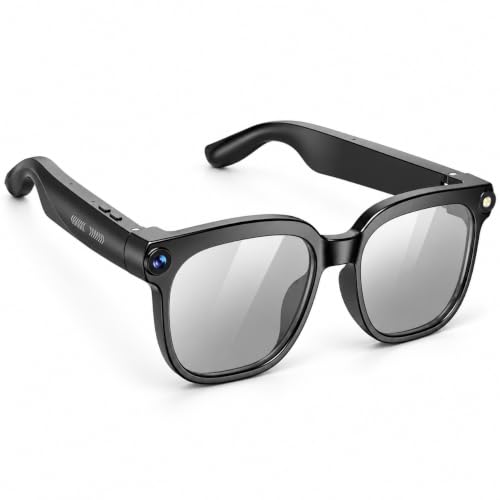
Best for POV Recording – MSCGLYXGS AI Camera Glasses
These smart glasses for translation suit buyers who also want a hands-free camera. The listing combines multilingual voice translation and transcription with an 8MP camera, 4K video recording, and open-ear audio.
Best For: Travelers and content creators who prioritize recording alongside spoken translation.
Pros:
- 8MP camera records first-person video with advertised stabilization.
- AI features include translation, transcription, and meeting summaries.
- Bluetooth 5.3 and Wi-Fi support syncing photos and videos to a phone.
Cons:
- Advertised video recording time is about one hour per charge.
- The notes do not specify the number of translation languages.
This is a more compelling pick for capturing a trip than for buyers seeking a clearly documented language list. Check that its translation workflow fits how you plan to use it.
Best for Prescription Lens Options – KAMFQMQ AI Smart Glasses
If replaceable prescription lenses are a priority, these smart glasses for translation deserve a look. They combine AI translation and a GPT assistant with an 8MP camera, open-ear calling, and a lightweight TR90+PC frame.
Best For: Prescription-lens wearers who want audio-based AI features and hands-free recording.
Pros:
- Supports replaceable prescription lenses.
- 8MP camera includes electronic image stabilization.
- Advertises up to seven hours of music playback and four hours of calls.
Cons:
- Has no display for viewing translated text in the lenses.
- The notes do not specify supported translation languages.
Its lens flexibility and open-ear design make it an everyday-wear option, but buyers who need visible subtitles should look toward a model with an in-lens display.
Best App-Based Language Coverage – OICIIDO Translation Glasses
Among smart glasses for translation, the OICIIDO pair emphasizes language coverage and app-based translation modes. It advertises two-way translation across 164 languages, plus phone calls, music, and lenses that darken outdoors.
Best For: Buyers who want a broad advertised language list and do not mind translating through a phone app.
Pros:
- Advertises support for 164 languages and several translation modes.
- States that Ear Dance translation features require no subscription.
- Photochromic lenses change from clear indoors to darker outdoors.
Cons:
- Translation requires the Ear Dance mobile app and does not work offline.
- Photo translation uses photos taken on the phone.
This is the practical choice if language range matters more than phone-free operation. Plan to keep your phone and a connection available when translating.
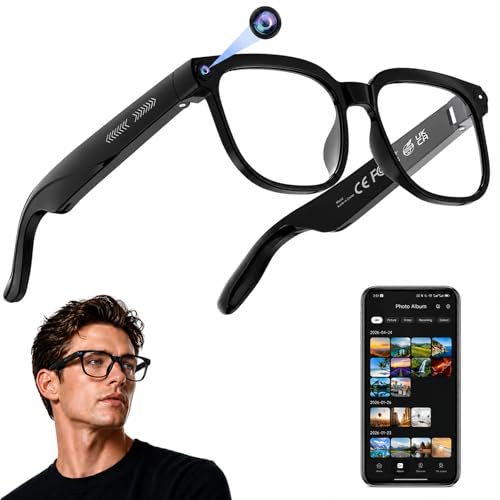
Best for Everyday Versatility – Plunthorn 4K AI Smart Glasses
These smart glasses for translation combine real-time language help with a built-in voice assistant, a 4K camera, and open-ear audio. They suit buyers who want one pair for conversations, calls, and capturing everyday moments.
Best For: Travelers who want translation alongside camera and hands-free audio features.
Pros:
- Real-time translation and a ChatGPT voice assistant support travel or business conversations.
- 4K camera resolution adds a way to capture detailed footage.
- Bluetooth calling, open-ear music, and companion-app controls broaden everyday use.
Cons:
- No display, so translations are not presented on an in-lens screen.
- The notes conflict on water protection: the bullets claim IP65, while the details say not water resistant.
Choose this pair for its mix of translation, camera, and audio features, but verify its water-resistance rating before relying on it in rain.
Best for Language Coverage – GenXenon GS06 Translator Glasses
For shoppers prioritizing language options, these smart glasses for translation advertise face-to-face interpretation in more than 160 languages. Their blue-light-filtering, photochromic lenses also make them a practical candidate for changing indoor and outdoor conditions.
Best For: Travelers and language learners who value broad translation coverage and adaptable lenses.
Pros:
- Advertised interpretation covers more than 160 languages.
- Photochromic lenses darken outdoors and offer blue-light filtering indoors.
- Open-ear Bluetooth audio supports calls and listening without covering your ears.
Cons:
- There is no display for reading translations in the lenses.
- Listed battery life is approximately 4–6 hours, so longer days may require a recharge.
The GS06 makes the most sense if language coverage and versatile lenses matter more to you than an in-lens display or camera.
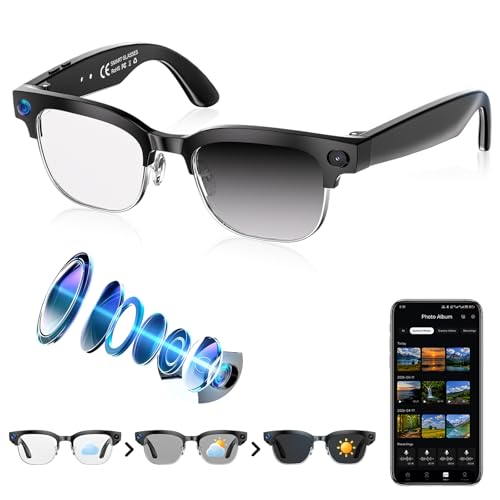
Best for Active Video – SGUKZF 4K EIS Smart Glasses
These smart glasses for translation pair advertised support for more than 139 languages with a 4K camera featuring electronic image stabilization. At a listed 35 g, they are aimed at buyers who want translation and wearable video without a heavy frame.
Best For: Active travelers who want translation, steadier video, and a lightweight fit.
Pros:
- Advertised real-time translation covers more than 139 languages, with an AI voice assistant.
- 4K camera includes EIS to help steady footage during movement.
- Photochromic lenses, a 35 g frame, and IP66-rated protection suit varied daily conditions.
Cons:
- The supplied notes do not specify runtime for the 290 mAh battery.
- No in-lens translation display is described.
This is the strongest fit of the three for buyers focused on filming while moving; check how its translation workflow and battery runtime fit your plans before purchasing.
Best for Active Commutes – OhO AI Photochromic Smart Glasses
If you want smart glasses for translation that can also handle an active commute, this OhO pair combines app-based translation across 165 languages with open-ear audio and photochromic lenses. The listed six translation modes include FreeTalk and photo translation.
Best For: Commuters and travelers who want translation, hands-free audio, and impact-rated lenses in one pair.
Pros:
- Six translation modes through the OhO app, including FreeTalk and photo translation.
- Open-ear speakers keep ambient sound audible during calls and music.
- UV400 photochromic lenses meet the listed ANSI/ISEA Z87.1 impact-resistance standard.
- Rated for up to 10 hours of battery life, with IPX4 water resistance.
Cons:
- Translation relies on a compatible smartphone and the OhO app.
- No built-in display or standalone GPS.
The impact-rated lenses and IPX4 rating distinguish this pair for daily wear. Choose it for its mix of translation and audio features, rather than for an on-lens translation display.
Best for Meeting Notes – KWENRUN AI Translation Glasses
These smart glasses for translation pair automatic, real-time Free Talk translation across more than 160 languages with an AI meeting assistant. They also support voice, video, and photo translation, making them a practical option for conversations that extend beyond face-to-face travel.
Best For: People who want multilingual conversation support and AI-generated notes from meeting recordings.
Pros:
- Free Talk mode automatically detects and translates more than 160 languages.
- Meeting assistant turns recordings into text and mind maps.
- Photochromic lenses offer UV and blue-light protection.
- Rated for up to 10 hours of music or 8 hours of talk time.
Cons:
- No camera, so the glasses themselves cannot capture photos or video.
- Not water resistant; photochromic lenses may not darken inside most vehicles.
The meeting tools are the strongest reason to consider this pair. Keep its camera-free design in mind if photo or video translation is central to how you plan to use it.
Best for Quick Recharging – Giwbeiv Audio Translation Glasses
For shoppers comparing smart glasses for translation, this Giwbeiv pair offers a stated 165 languages and modes for face-to-face conversations, video calls, and photo translation. It also combines meeting summaries with touch-controlled audio in a 33 g frame.
Best For: Wearers who want multiple translation modes, meeting summaries, and a short stated charging time.
Pros:
- Supports 165 languages and several translation modes.
- Can summarize meetings and conversations and create mind maps.
- Touch controls manage calls, music, and the voice assistant.
- Magnetic charging on both temples is stated to take one hour.
Cons:
- No built-in GPS.
- The notes do not specify an hours-based battery-life rating.
This pair is worth a look if charging convenience and meeting features matter as much as translation. Its listed 165-language support is broad, but check the app workflow before relying on a particular mode.
How We Picked These Smart Glasses for Translation
We compared the listed translation features alongside the hardware that affects everyday use: displays, open-ear audio, cameras, lens options, controls, and connectivity. We also considered whether a pair appears better suited to conversations, travel, or general hands-free use. Product listings do not establish translation accuracy, supported languages, offline capability, or battery life under translation workloads, so confirm those details with the seller before buying.
Quick Comparison: Which Style Fits Your Needs?
Display-equipped glasses are the most relevant starting point if you want to read translated text without looking down at a phone. Among these picks, the INMO GO3 stands out as an AR and teleprompter-style option; check exactly how its translation is displayed and controlled.
Camera-equipped AI glasses combine translation claims with photo or video features. They may appeal if you also want hands-free capture, but verify whether translation uses the camera, microphones, a phone app, or some combination.
Audio-first Bluetooth frames prioritize open-ear listening and calls, sometimes with photochromic or blue-light-filtering lenses. They can be a simpler choice if spoken translation is enough. Check whether translated speech plays through the glasses or only through the companion phone.
Key Buying Factors for Smart Glasses for Translation
Translation Workflow and Language Support
Look for a clear explanation of how to start and stop translation, how two people take turns speaking, and where the results appear. Supported languages can differ for speech recognition, translated text, and spoken output. If you need a specific language pair, confirm both directions—not just that the language appears on a general support list. Also check whether translation requires internet access, an account, or a subscription.
Audio, Display, and Privacy
Open-ear speakers let you hear your surroundings, but translated audio may be difficult to hear in a noisy station or café and may be audible to people nearby. A readable in-lens display can be more discreet for the wearer, though text size and visibility matter. If a model has a camera, be mindful of recording rules and obtain consent where appropriate; a camera feature does not necessarily mean it can translate signs or printed text.
Fit, Power, and Everyday Practicality
Check frame dimensions, weight, lens options, weather-resistance claims, and whether prescription lenses can be fitted. Battery estimates for music or standby may not reflect continuous translation, camera use, or an active display. For a trip, consider charging time and whether the glasses remain useful while your phone is low on power or offline.
Who Should Buy Which Smart Glasses for Translation?
Choose a display-oriented pair if reading translations in your field of view is the priority. Choose camera-equipped glasses if hands-free capture matters as much as translation, after confirming the actual translation workflow. Choose audio-first frames if you mainly want spoken assistance, calls, and comfortable everyday wear. Whichever style appeals, verify the language pair, app compatibility, return policy, and translation method before committing.