Shopping for a new editor? The best gifts are the ones that make learning smoother, faster, and a little more fun.
These picks focus on useful tools that support editing workflows, from storage and input devices to comfort and desk setup.
16 Gift Ideas for Someone Learning Video Editing to Consider in 2026
Precision Workflow Upgrade
Logitech MX Master 3S Wireless Mouse

- MagSpeed scrolling helps with faster timeline scrubbing
- Quiet clicks and precise control suit editing work
- A premium productivity gift with broad Mac/PC support
Best For: Someone learning video editing who wants faster, more precise control.
Frame-By-Frame Control
Contour ShuttleXpress Editing Controller

- Jog dial makes playback control feel easier for beginners
- Useful for frame-by-frame navigation in editing software
- Compatible with both PC and Mac
Best For: A beginner who wants simpler playback and timeline navigation.
One-Touch Editing Shortcuts
Stream Deck Mini 6-Key Macro Controller

- 6 customizable keys for quick editing actions
- Handy for shortcuts, exports, and repetitive tasks
- Works with Mac and PC with drag-and-drop setup
Best For: A learner who wants fast, one-touch shortcuts while editing.
Portable Project Storage
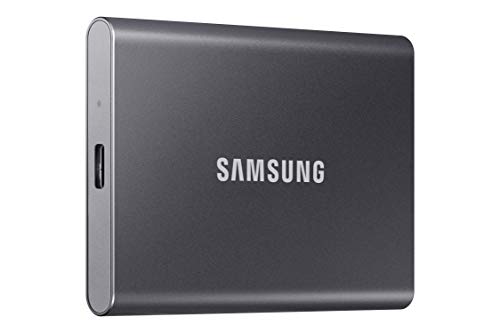
- 1TB of storage for large video files and projects
- Up to 1,050MB/s speeds for moving footage quickly
- Portable external SSD for editing on the go
Best For: Someone learning video editing who needs fast, portable file storage.
Budget Backup Pick
WD 2TB Elements Portable Hard Drive

- 2TB storage for backing up footage and raw files
- Plug-and-play USB 3.0/3.2 compatibility for easy setup
- A practical, budget-friendly gift for beginners
Best For: Someone learning video editing who needs affordable storage for backups and organization.
Creator Dock Upgrade
CalDigit TS4 Thunderbolt 4 Dock
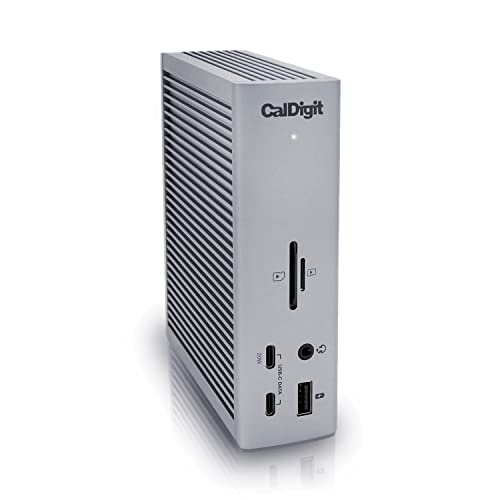
- Adds ports for drives, card readers, and displays
- Ideal for a laptop-based editing setup
- Premium connectivity for a more organized workstation
Best For: A laptop editor who needs a high-end hub for multiple creative accessories.
Multi-Device USB Hub

- 7 USB data ports plus 2 charging ports
- Powered design helps manage multiple accessories
- A simple upgrade for a beginner editing desk
Best For: A beginner juggling drives, card readers, and peripherals on one laptop.
Reliable Camera Card
SanDisk Extreme PRO 128GB SD Card
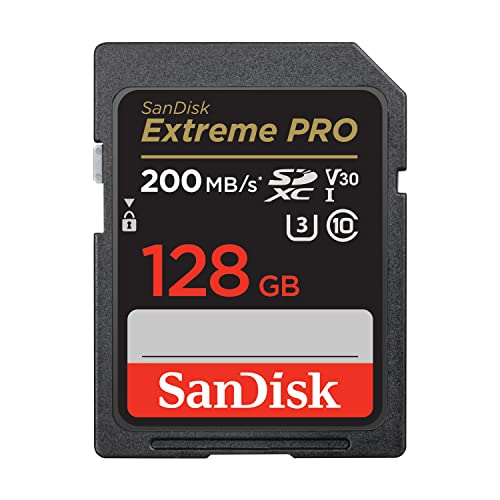
- 128GB capacity for recording footage
- UHS-I U3/V30 card for video use
- A familiar, reliable gift for camera-based creators
Best For: Creators recording footage on cameras and needing dependable memory cards.
Fast Footage Offload
ProGrade Digital UHS-II Dual-Slot SD Card Reader

- True UHS-II SD card reader for faster camera card transfers.
- Helps streamline offloading footage for smoother post-production.
- A practical, professional-leaning gift for a new video editor.
Best For: Someone learning video editing who needs faster footage transfers to a computer.
Comfortable Late-Night Editing
Honeywell Dimmable Desk Lamp with USB Ports

- Eye-friendly lamp with 4 color modes and dimming.
- Helps create a comfortable workspace for editing at night.
- Giftable desk light with useful charging ports built in.
Best For: Someone editing late at night who wants a more comfortable workspace.
Monitor Eye-Comfort Gift
Benicci Blue Light Blocking Computer Glasses

- Designed to help reduce digital eye strain during screen time.
- A thoughtful pick for long editing sessions at a monitor.
- Broadly useful for laptop, phone, TV, and gaming use.
Best For: Someone spending long hours editing at a screen.
Desk Comfort Upgrade
Gimars Ergonomic Keyboard and Mouse Wrist Rest Set

- Keyboard and mouse wrist support for desk comfort.
- Great for long editing sessions and lots of typing.
- Strong review volume and a gift that feels practical.
Best For: Someone learning video editing who spends a lot of time at a desk.
Glare-Free Desk Lighting

- Monitor light bar made for a cleaner editing setup
- Helps add screen-area lighting with less glare
- Space-saving pick for long learning sessions
Best For: Someone learning video editing who wants a cleaner, more eye-friendly desk setup.
Sharper Preview Space

- 27-inch 4K monitor for sharper preview quality
- IPS panel supports accurate viewing angles
- Adjustable stand adds comfort for editing sessions
Best For: A beginner who wants more screen space and clearer video previews.
Cooler Laptop Workflow
SOUNDANCE Aluminum Laptop Stand

- Raises a laptop to a better viewing height
- Open design helps keep the laptop cool
- Simple ergonomic upgrade for editing at a desk
Best For: Someone learning video editing on a laptop who needs better ergonomics and cooling.
Desk Cable Cleanup

- All-in-one kit for tidying editing desk cables
- Helps organize chargers, hubs, and storage devices
- Practical way to keep a workstation clean
Best For: Anyone setting up a tidy video editing desk with lots of cords and accessories.
How to Choose the Right Gift for a New Video Editor
The best Gift Ideas for Someone Learning Video Editing depend on how they work, what gear they already own, and where they feel the most friction. A beginner using a laptop for school projects may benefit most from storage, a monitor, or a desk upgrade, while someone experimenting with timelines and effects might appreciate a control surface or a better mouse. Think about what will save time, reduce discomfort, or remove a common beginner bottleneck.
Match the Gift to Their Workflow
If they are still building basic editing habits, look for gifts that improve everyday tasks. A responsive mouse, external drive, card reader, or extra ports can make importing files and moving between apps easier. If they are already comfortable cutting footage, a macro pad or shuttle controller can help speed up repetitive actions without feeling overwhelming.
Choose Upgrades That Support Long Editing Sessions
Comfort matters more than people expect. Eye strain, poor posture, and cluttered desks can make editing feel frustrating fast. Items like a monitor light bar, desk lamp, wrist rest, laptop stand, or blue light glasses are simple but thoughtful additions that help create a better workspace. These are especially smart if you want a gift that feels useful every day.
Budget Considerations for Gift Ideas for Someone Learning Video Editing
You do not need to spend a fortune to buy a helpful gift. Smaller accessories can still make a big impact, especially for beginners. Budget-friendly options include cable organizers, wrist support, desk lighting, and powered USB hubs. Mid-range gifts often include external storage, a better mouse, or a portable card reader. Higher-budget items like a 4K monitor or Thunderbolt dock are ideal if you want one standout upgrade that supports the whole setup.
A good approach is to choose one primary need and buy the best version you can comfortably afford. For example, storage is useful if they are collecting footage quickly, while display and lighting upgrades are ideal if they are spending hours at a desk. If the person is just starting out, a practical accessory can be more valuable than a flashy tool.
Personalization Tips That Make the Gift Feel Thoughtful
Personalized gifts do not have to be custom-made. You can tailor your choice to the software they use, the devices they already own, or the type of projects they enjoy. Someone editing travel videos may appreciate portable storage, while a student working between classes might prefer a compact controller or laptop stand. Matching the gift to their setup shows that you paid attention to their needs.
If you are unsure, choose a versatile item that works across different editing styles. Accessories with broad compatibility are especially helpful for beginners who may not yet know which editing tools they will use long term. That makes gifts like a multi-port hub, external SSD, or ergonomic desk accessory safer choices.
Last-Minute Buying Advice
If you need Gift Ideas for Someone Learning Video Editing on short notice, focus on items that are easy to ship, simple to set up, and universally useful. Fast-acting gifts include external drives, mice, desk lamps, cable organizers, and monitor lights. These are practical without requiring deep knowledge of their software or camera gear.
When timing is tight, avoid overly specialized accessories unless you are confident they fit the recipient’s workflow. Stick with gear that helps them work more comfortably and efficiently right away. A thoughtful editing gift should feel like a shortcut to a better desk setup, not another complicated gadget to learn.
With the right pick, you can support their creative growth and make their editing space more productive from day one.